

2 Mailchimp Tutorial Overview

The Full Mailchimp Course links are below. Both the paid version and the Free extract of the Mailchimp course. https://bizanosa.com/mailchimp-intro (FREE) https://bizanosa.com/mailchimpUdemy (Paid) This video will talk about what you are going to learn in this Mailchimp course. This Mailchimp tutorial will take you from beginner to Mailchimp expert. Watch the video to see what …
Vultr vps tutorial – Initial Server setup centOS 7

Vultr vps tutorial and Initial Server setup centos7 Full course : https://bizanosa.com/vt Check Out Vultr pricing ; https://bizanosa.com/vultr This video will show you how to setup CentOS 7 on Vultr VPS. Watch this video to carry out the Vultr initial server setup for CentOS 7. The time line for the video: 00:00:00 Introduction to this …
Creating Mailchimp Tags – Create Tags in Mailchimp
Full Mailchimp Tutorial : https://skl.sh/2DaJZCx Check out all of Ricky Wahowa Skillshare Classes here : https://bizanosa.com/skillshare/ This video will show you how to create Mailchimp Tags. WHen managing your lists you may need to tag subscribers, here is how to do so. . . . GET SOCIAL WITH ME: FACEBOOK: https://www.facebook.com/rwahowa/ INSTAGRAM: https://www.instagram.com/rwahowa/ TWITTER: https://twitter.com/rwahowa/ …
How to Create a Swap file in Centos 7
Watch the full VPS Tutorial here : https://bizanosa.com/vpstutorial The step by step post and code is here : https://bizanosa.com/create-a-swap-file-in-centos-7/ Creating a Swap FILE in CentOS 7 If you are on a VPS and you do not have the capability to create swap disks, the next alternative is for you to use a Swap File. A …
How to change VestaCP Port – Vesta Control panel Port
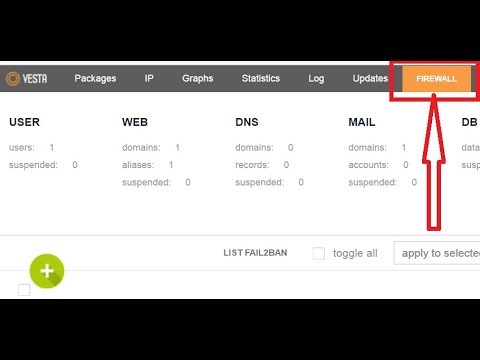
Watch the full VPS Tutorial here : https://bizanosa.com/vpstutorial VPS Tutorial to run Multiple websites : https://bizanosa.com/vpstutorial The step by step post and code is here : https://bizanosa.com/change-the-default-vesta-port/ Change the default Vesta Port from 8083 This short post will show you to change the default Vesta port from port 8083 to port 2053. You could change …
Getresponse Automation Tutorial in depth
Getresponse Automation Tutorial in depth LINK to the FULL Getresponse tutorial is here : http://bizanosa.com/getresponse This video will show you how to work with getresponse Automations feature. This video is a compilation of all the automation tutorials available in the full Course (https://bizanosa.com/getresponse) . –The Timeline for the video : 1. GetResponse Update : 00:00:05 …
FIX – Burnout paradise crashes on start – 08
Check out VPS Tutorial to run Multiple websites : https://bizanosa.com/vpstutorial If burnout Paradise is crashing when you start it, this video has two options that always works for me. If you close burnout paradise and restart it again, it normally crashes. Hope this video will be of help to you in fixing burnout paradise crash. …
Vesta & Cloudflare Send Mail
This video is part of this course : https://bizanosa.com/vt In this video let’s see how to send mail via vesta and Cloudflare. In my setup I did not install named. And I am using cloudflare for all my DNS burden. In this video we will ensure that Vesta CP is sending mail and we are …
Create New Post WordPress 5 Tutorial

This is how to create a new post or Page in WOrdPress 5 . if you do not know how to use the new WordPress 5 Editor, this video will quickly show you how to create a new post in Word Press 5 How to install and run WordPress on a VPS : https://bizanosa.com/vt .. …